








Minecraft Server Hosting
The best performing Minecraft servers, guaranteed.
No "budget" plans here! Lag-free performance, always up-to-date versions and modpacks. Get instant help from our 24/7 expert support team with real-person responses in minutes.
 All Servers
 Play Vanilla
 Play Modded
 Start a Community
Modded: Not Recommended
- NVMe SSD Storage
- Player Slots
Modded: Not Recommended
- NVMe SSD Storage
- Player Slots
Modded: 3-8 Players
- NVMe SSD Storage
- Player Slots
Modded: 8-15 Players
- NVMe SSD Storage
- Player Slots
Modded: 15-25 Players
- NVMe SSD Storage
- Player Slots
- Free Dedicated IP
Modded: 25-40 Players
- NVMe SSD Storage
- Player Slots
- Free Dedicated IP
Modded: 40-60 Players
- NVMe SSD Storage
- Player Slots
- Free Dedicated IP
Modded: 60-80 Players
- NVMe SSD Storage
- Player Slots
- Free Dedicated IP
Modded: 80-120
- NVMe SSD Storage
- Player Slots
- Free Dedicated IP
Modded: 120+ Players
- NVMe SSD Storage
- Player Slots
- Free Dedicated IP
Excellent



We don't deal in "budget" around these parts.

Never Oversold
We never over-provision our servers, unlike competitors.

Fully-Owned Hardware
Performance hardware optimized for hosting Minecraft

Fully Monitored
Our 24/7/365 operations team ensures uptime and availability.
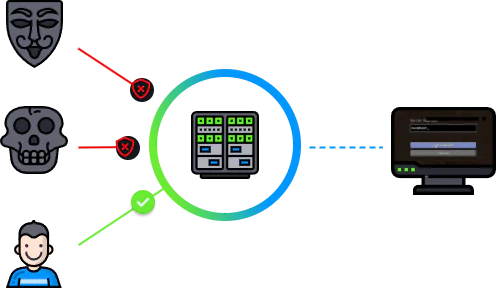
DDoS Protection Included
Your game server will always be secured and accessible.DDoS attacks are a major problem in the Minecraft server space. Self-hosting or hosting with an inadequately protected provider puts you at risk for unwanted downtime resulting from attacks.
Enjoy lag-free, responsive gameplay on our high-performance networks.Easily manage your Minecraft server
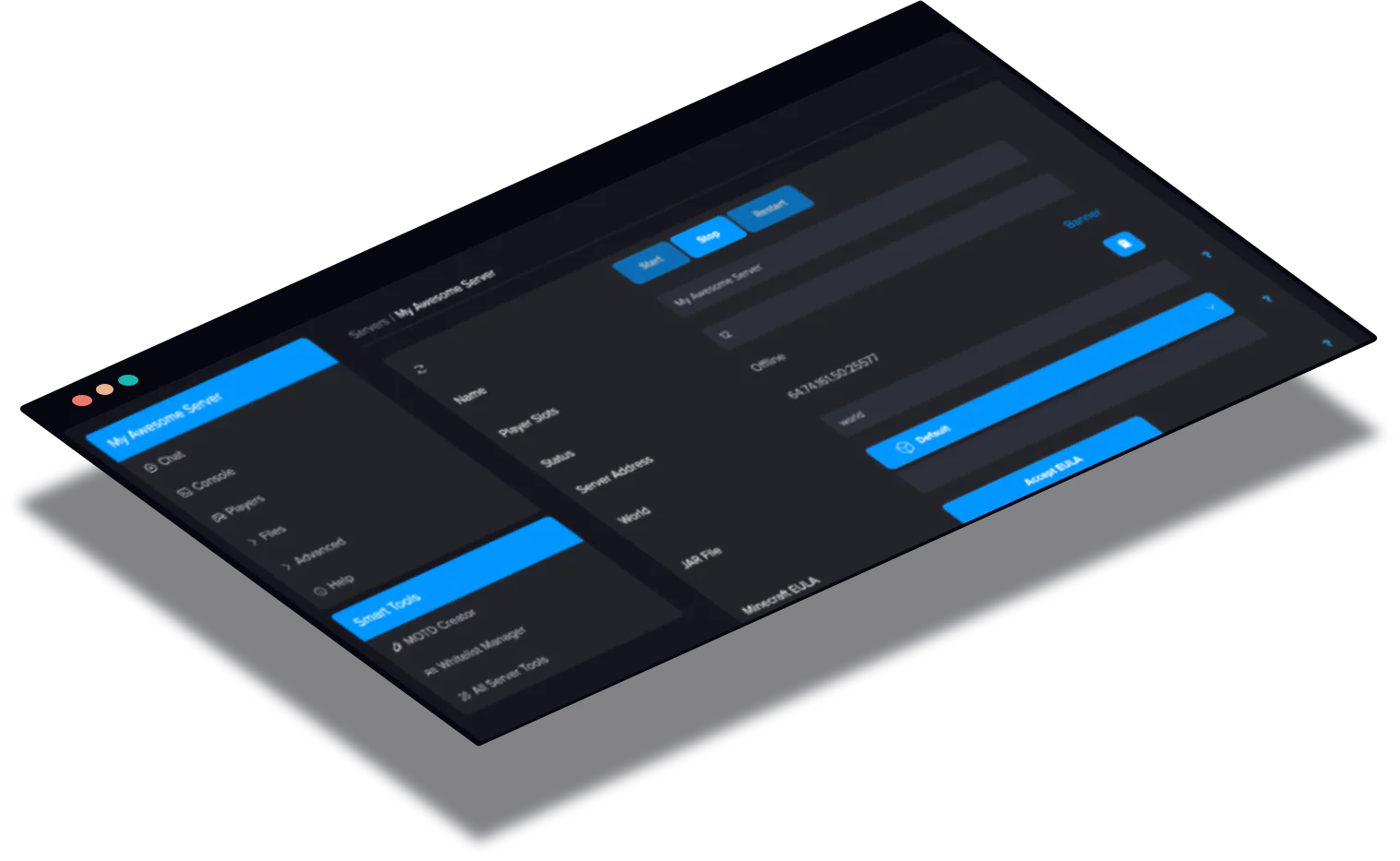
You can easily manage every aspect of your Minecraft server from our powerful & intuitive server control panel.
- Console & Power Actions
- Text Editor/File Manager
- Automatic Modpack Installers
- Full FTP Access
- 2-Factor Authentication
- Sub-User Accounts
Minecraft Hosting Features

Lag Free Hardware
High-performance server hardware built specifically for Minecraft server hosting. Unlike others, we build/own our hardware.

Automatic Modpack Installer
Our servers are compatible with all modpacks. Our panel features an installer for automatically updated modpacks.

Real Person 24/7 Support
Competitors leave you waiting hours, perhaps days when you need help. We often respond within 10 minutes or less.

Scheduled Backups
Protect your saved data, server settings and more with automatically scheduled Minecraft server backups with one-click restores.

Full FTP Access
All customers are given full FTP access to their Minecraft server's files, allowing you to manage your files with ease.

Free DDoS Protection
We've standardized powerful DDoS protection to keep your server online through the most brutal DDoS attacks.

Multicraft Control Panel
Industry renowned, and for good reason, Multicraft is the most powerful Minecraft server control panel on the market.

Blazing Fast Storage
NVMe SSD arrays reduce your loading and save times and significantly reduce the chance of hardware failure over HDDs.
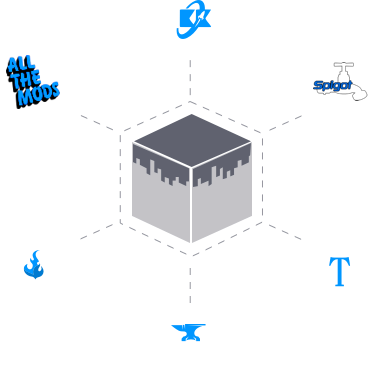
Instantly install a wide range of plugins and modpacks
Our control panel will automatically install and configure a variety of modpacks - choose popular packs from FTB, Curseforge and more. You'll be given the option of choosing from a list of supported packs, which are automatically kept up-to-date by our in-house system.
Additionally, you have full access to upload any mods & modpacks of your own choosing with FTP.
Rent a Minecraft Java Server
Host a Minecraft Java Edition server on hardware actually built for it. NVMe SSD storage, dedicated CPU threads, and DDoS-protected datacenters across North America, Europe, and Oceania. Forge, Fabric, Paper, Spigot, and vanilla all install in a click. Run anything from a 1.7.10 legacy modpack to the latest 1.21 release, with instant setup and a 72-hour money-back guarantee.
One-click modpack installs from CurseForge and Modrinth
Pick a modpack from the control panel and the server installs and configures itself. All The Mods 9, RLCraft, Better MC, Vault Hunters 3, SkyFactory 4, FTB OceanBlock, and other popular packs are all there. If your pack isn't on the list, upload the server zip directly and it deploys the same way. We recommend at least 4GB RAM for any modpack, and 8GB+ for kitchen-sink builds. You can scale plans up at any time without losing world data.
Plugin loaders for survival, RPG, and minigame servers
Run a Paper, Spigot, Bukkit, Purpur, or Pufferfish server with no JAR-juggling. EssentialsX, LuckPerms, WorldGuard, WorldEdit, CoreProtect, ViaVersion, and GriefPrevention all install from the panel, or drop your own JARs into the plugins folder via the file manager. Switch loaders or versions any time without rebuilding the server.
Bedrock players welcome via Geyser
Geyser bridges Bedrock clients (mobile, console, Windows 10/11) into your Java server as a plugin. It runs on Paper, Spigot, Purpur, and Folia, not on vanilla. If you want crossplay, run a Paper server and add the Geyser-Spigot plugin. Floodgate authenticates Bedrock players without requiring a Java account.
Built for performance, not for "free"
We don't sell budget plans. Every server runs on enterprise NVMe storage, a host node that isn't oversold, and a network with always-on DDoS mitigation. That means consistent tick rates with 30+ players online, fast chunk loading on huge modded worlds, and no surprise 8-second freezes when someone drops a TNT cannon. The trade-off is honest: we cost more than free hosts because the box your server runs on costs more.
What you get in the control panel
Full file manager, live console, scheduled task runner (auto-restarts, daily backups, custom commands), and sub-user permissions for trusted moderators. Backups run automatically every day and are stored off the live server disk so a corrupted world doesn't take its backups with it. Custom subdomains, plugin updates, and version switching are all handled in the panel. No SSH, no FTP, and no surprise downtime.
Host Anywhere On Our Global Network
Choose from our 13 datacentre locations around the world

Low-Latency Networks
Enjoy lag-free, responsive gameplay on our high-performance networks. Choose from our range of global locations that form our global network.

Terabit-scale Network
Our network infrastructure is built to deliver exceptional performance, handling massive amounts of data and DDoS attacks in the terabit-scale, perfect for Minecraft server hosting.
Create your Minecraft Server today!
Instant activation, with 72 hours risk-free moneyback guarantee!Get Started Questions? Contact Support (24/7)Minecraft Tools
Interactive tools for Minecraft players. No sign-up required.
Plot circles & ellipses up to 500 blocks across. Thin, thick or filled outlines, a live block count and a PNG to build from.
Open tool Minecraft MOTD GeneratorStyle your server's message of the day with colors and formatting codes, preview it exactly as players see it, then copy the server.properties line.
Open tool