This article covers the steps to obtain your owner ID for your RuneScape: Dragonwilds server. Please note that a valid owner ID is required to run a server.
1. Log in to your game panel.
2. Stop your service if it is running.
3. Click on  in your panel and click on either
  or
or  for the DedicatedServer.ini config file.
4. Locate the Owner ID line and proceed to the next steps. Once you have it, you will need to paste it on this line.
Obtaining your owner ID
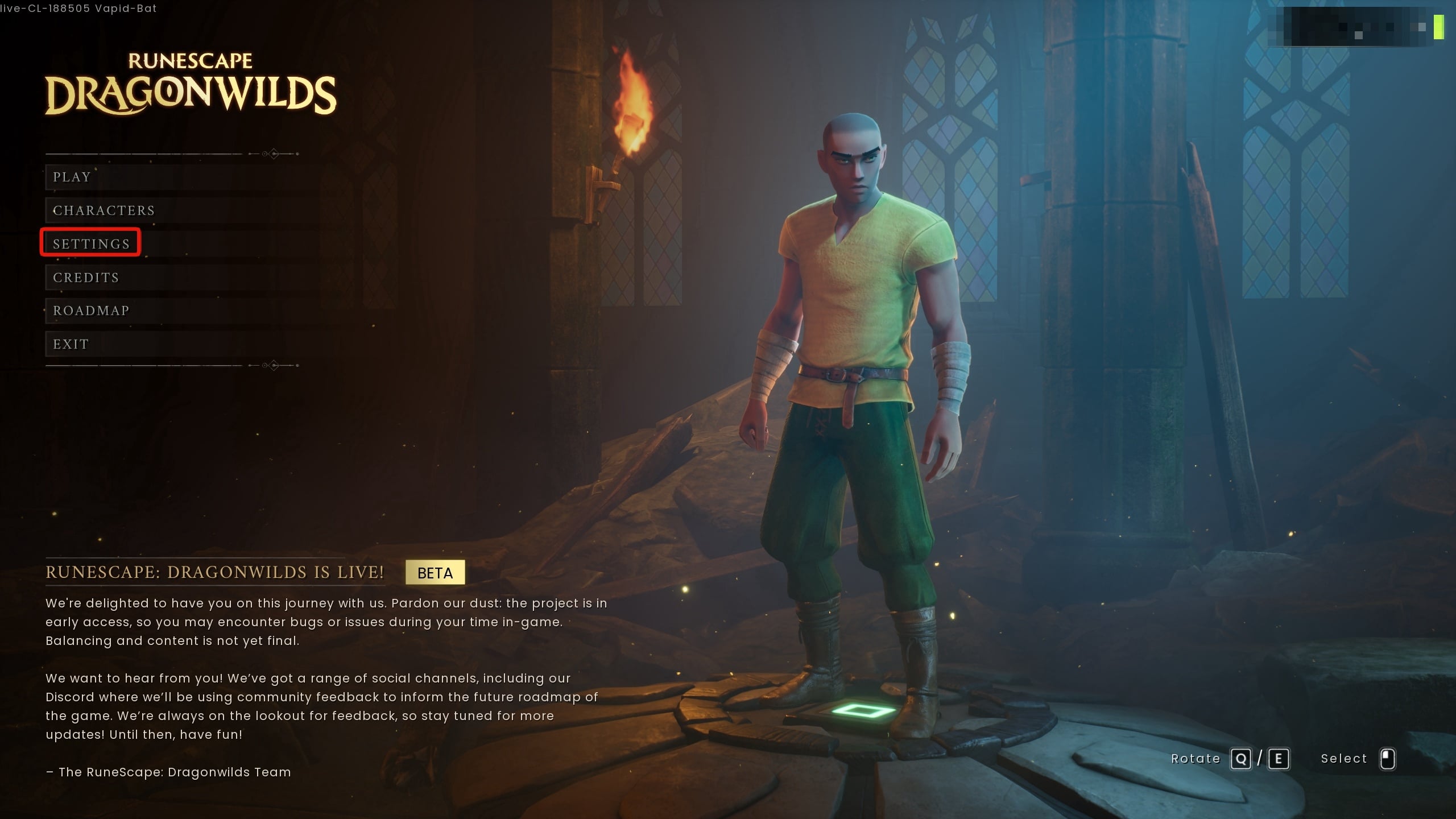
Start your RuneScape: Dragonwilds game. At the main screen, click on Settings
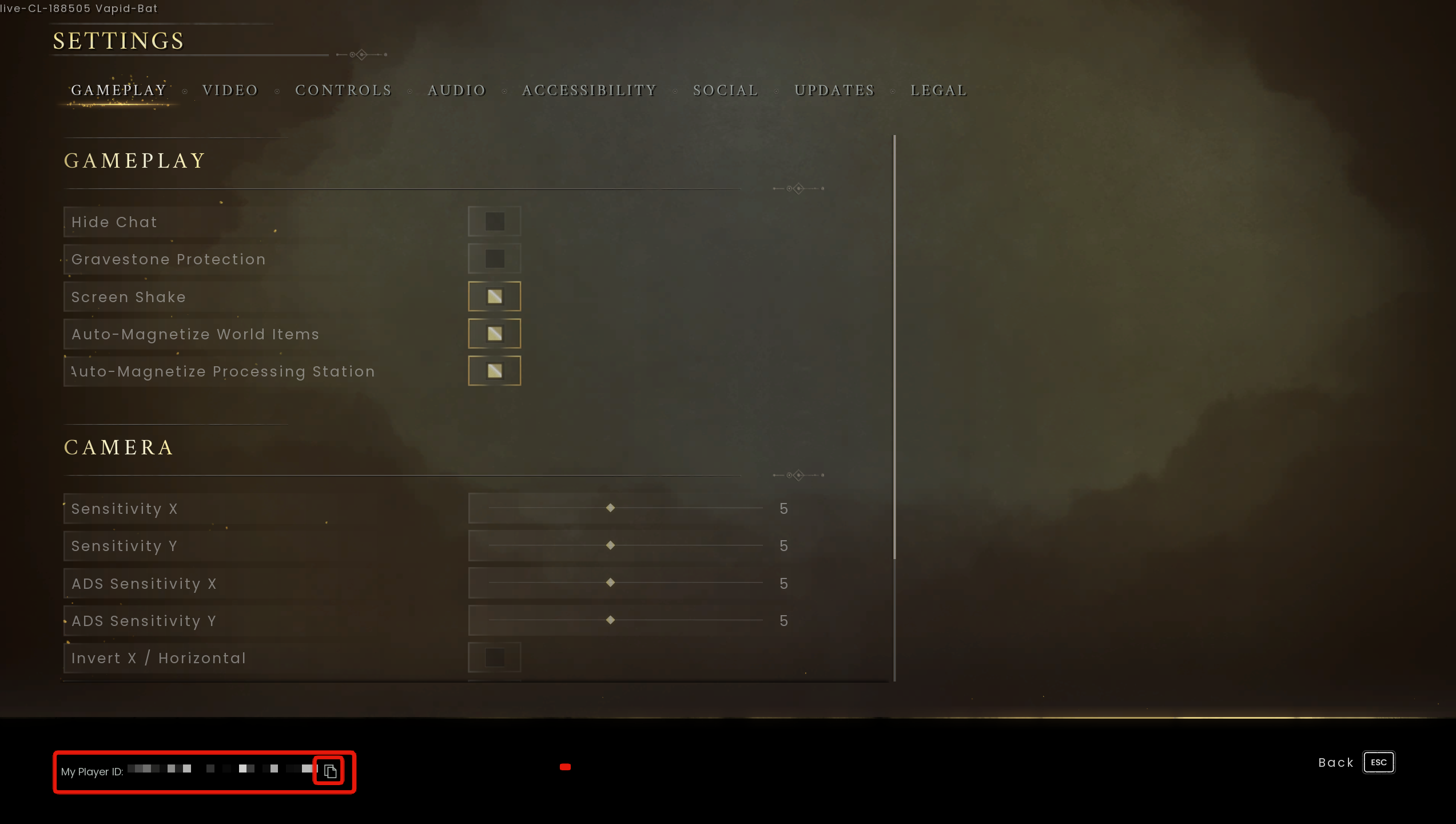
In the settings menu, at the bottom-left, you will see "My Player ID". Copy this using the copy icon and paste it into your config.

RuneScape: Dragonwilds - Getting Started
- 1
Was this answer helpful?
Related Articles
Creating/Restoring backups
The control panel will automatically attempt to create a backup every night at 2:45am.Backups...
How to reinstall your Dragonwilds server
In this article, we'll be going over the process of re-installing your RuneScape: Dragonwilds...
How to setup automatic restarts for your Dragonwilds server
This article will cover the steps needed to set up automatic restarts on your RuneScape:...
How to use an FTP client with your Dragonwilds service
Here, we'll be taking a look at using an FTP service to control your service's files. The first...
