
With Hytale, you can customize how a player's death will impact their progress through death penalties. You can adjust if players lose some or all of the items in their inventory upon death.
1. Log in to the Host Havoc game panel and stop your server.
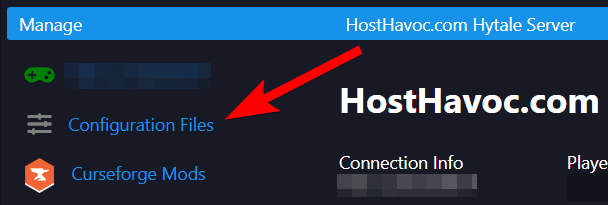
2. Navigate to the Configuration Files page.
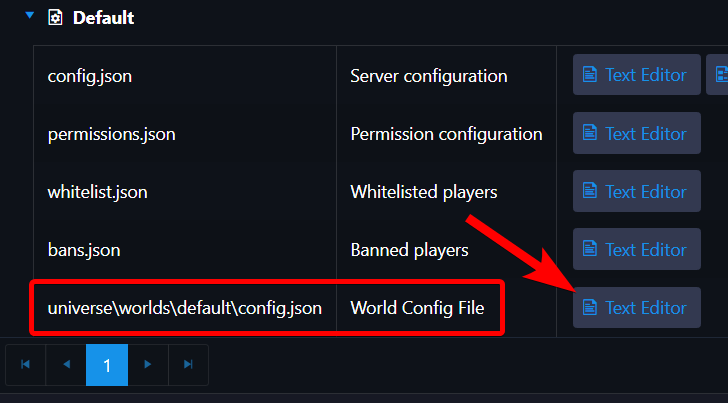
3. Open the World Config File ( universe\worlds\default\config.json ) using the Text Editor.
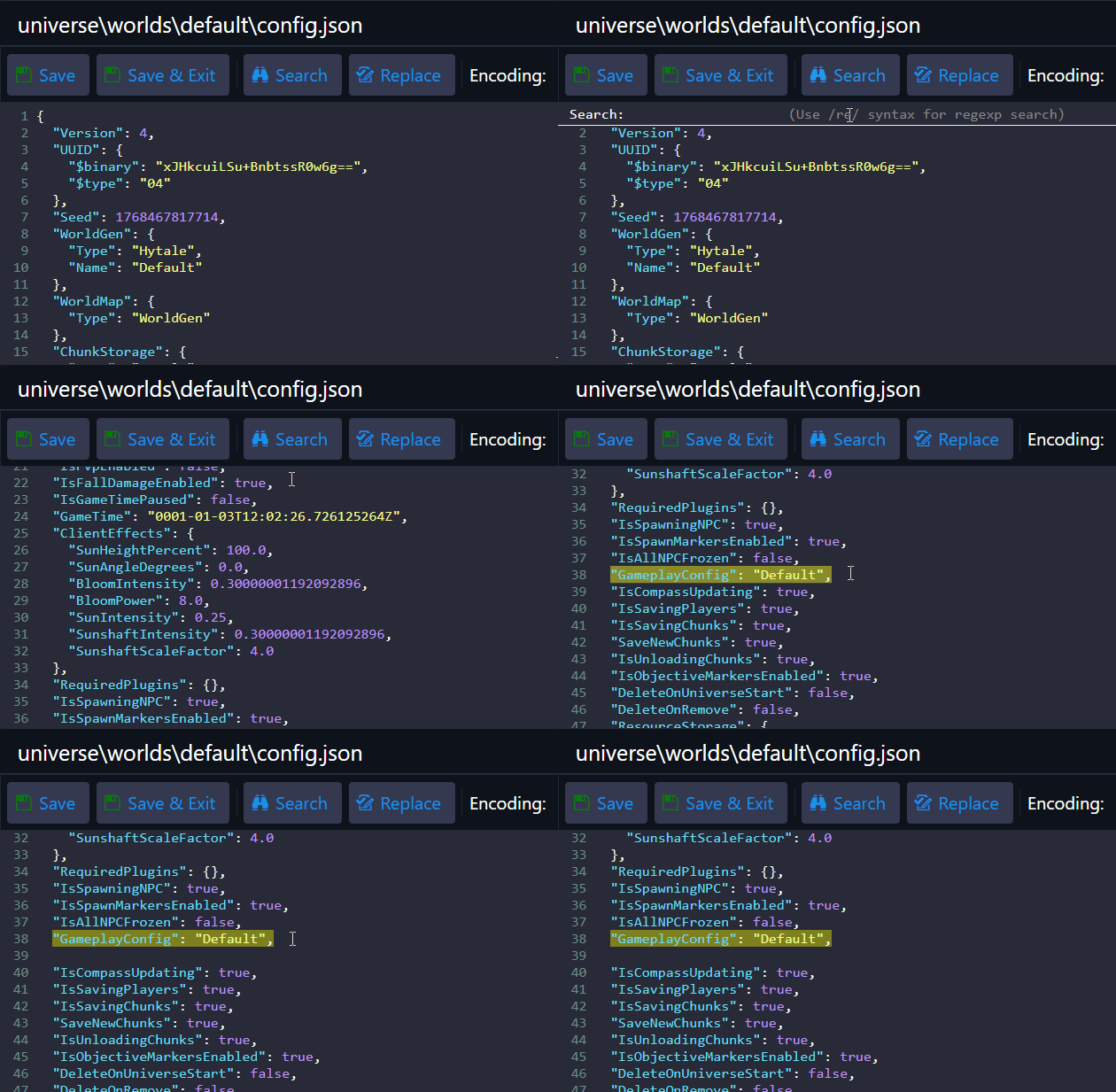
4. Look for the "GameplayConfig": "Default", line and press Enter on your keyboard to add a new line.
5. Paste the following lines:
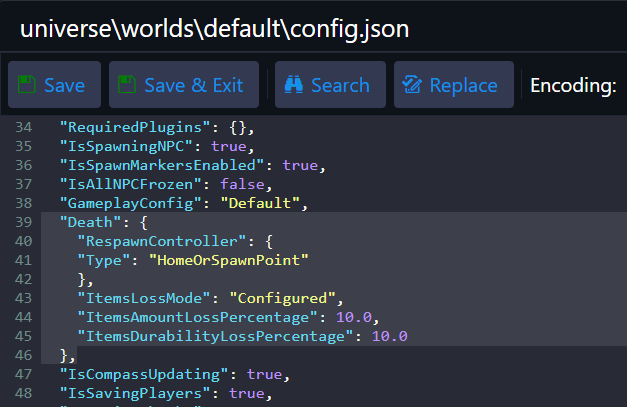
It should look something like this:
6. Adjust the ItemsLossMode when a player dies to either of the following depending on your preference:
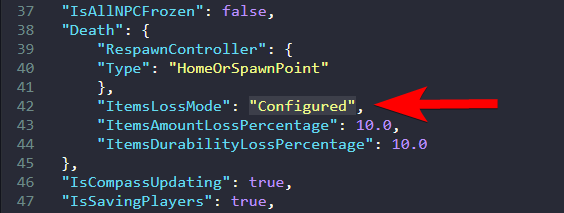
If you have selected the "Configured" option, you can change the following options:
7. Click Save & Exit.
That's it! Once you start your server, the death penalty changes will be in effect.
If you need further assistance, please submit a support ticket and our team will be happy to assist you.
1. Log in to the Host Havoc game panel and stop your server.
2. Navigate to the Configuration Files page.
3. Open the World Config File ( universe\worlds\default\config.json ) using the Text Editor.
4. Look for the "GameplayConfig": "Default", line and press Enter on your keyboard to add a new line.
5. Paste the following lines:
  "Death": {
    "RespawnController": {
    "Type": "HomeOrSpawnPoint"
    },
    "ItemsLossMode": "Configured",
    "ItemsAmountLossPercentage": 10.0,
    "ItemsDurabilityLossPercentage": 10.0
  },
It should look something like this:
6. Adjust the ItemsLossMode when a player dies to either of the following depending on your preference:
"All"- Lose all the items in the player inventory."None"- Do not lose any items."Configured"- Lose some items and reduce the durability of the remaining items in the player inventory.
If you have selected the "Configured" option, you can change the following options:
- ItemsAmountLossPercentage - The percentage of items from the player's inventory that gets lost upon death.
- ItemsDurabilityLossPercentage - The percentage of durability that gets lost from the items in the player's inventory upon death.
7. Click Save & Exit.
That's it! Once you start your server, the death penalty changes will be in effect.
If you need further assistance, please submit a support ticket and our team will be happy to assist you.
