This article goes over the steps required to join your StarRupture server hosted by Host Havoc.
Creating your session
Step 1: Log in to your game panel and ensure that your service is running. Take note of the Connection Info, as this will be needed later.
Step 2: Open StarRupture and click on Manage Server.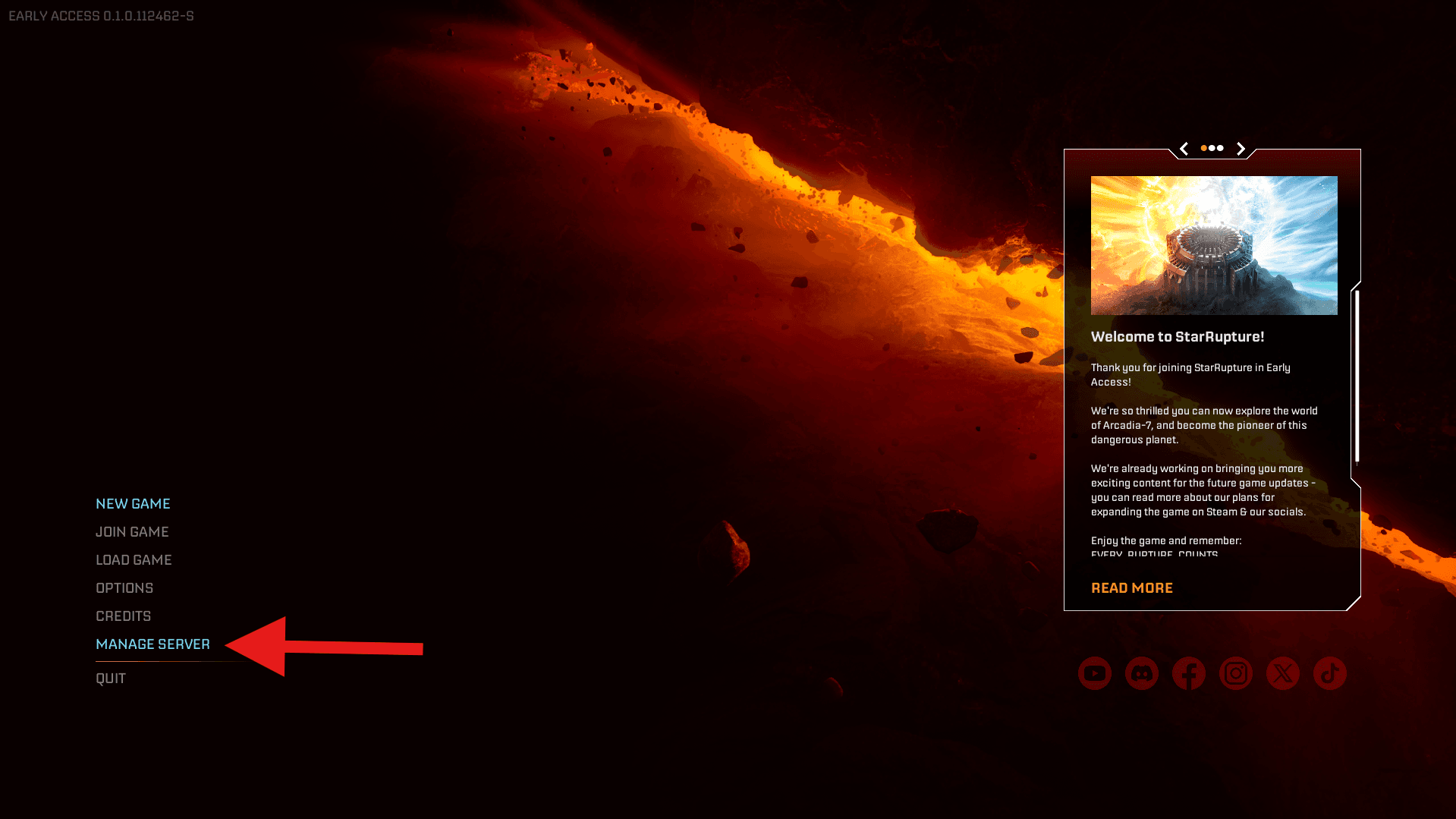
Step 3: Copy and paste the IP for your service found under Connection Info in your game panel.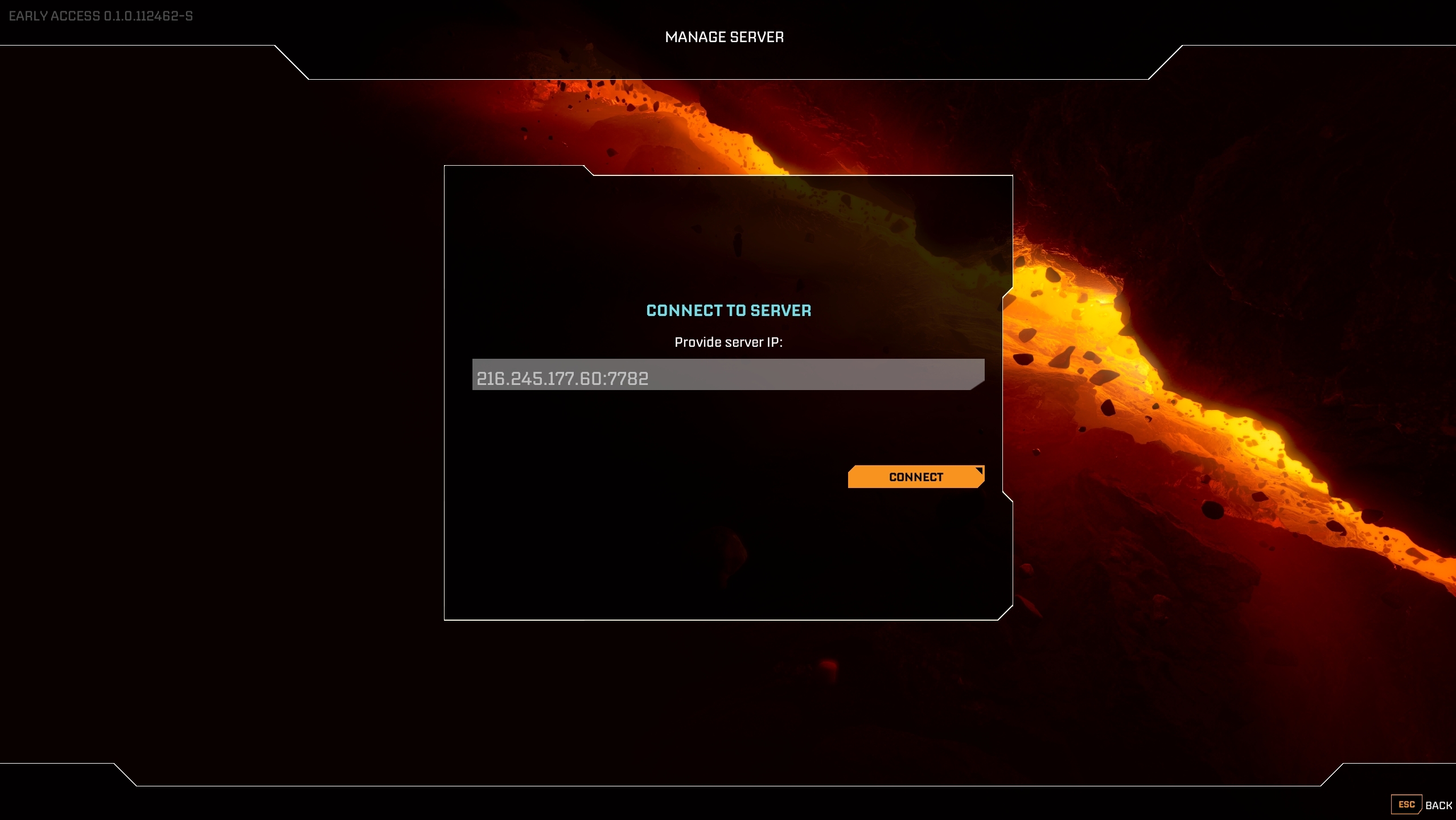
Step 4: Enter a password. Be certain to mark this down as it will be required to load or start new sessions.
Step 5: Create a new game or load an existing game. You will also be able to set a server password here.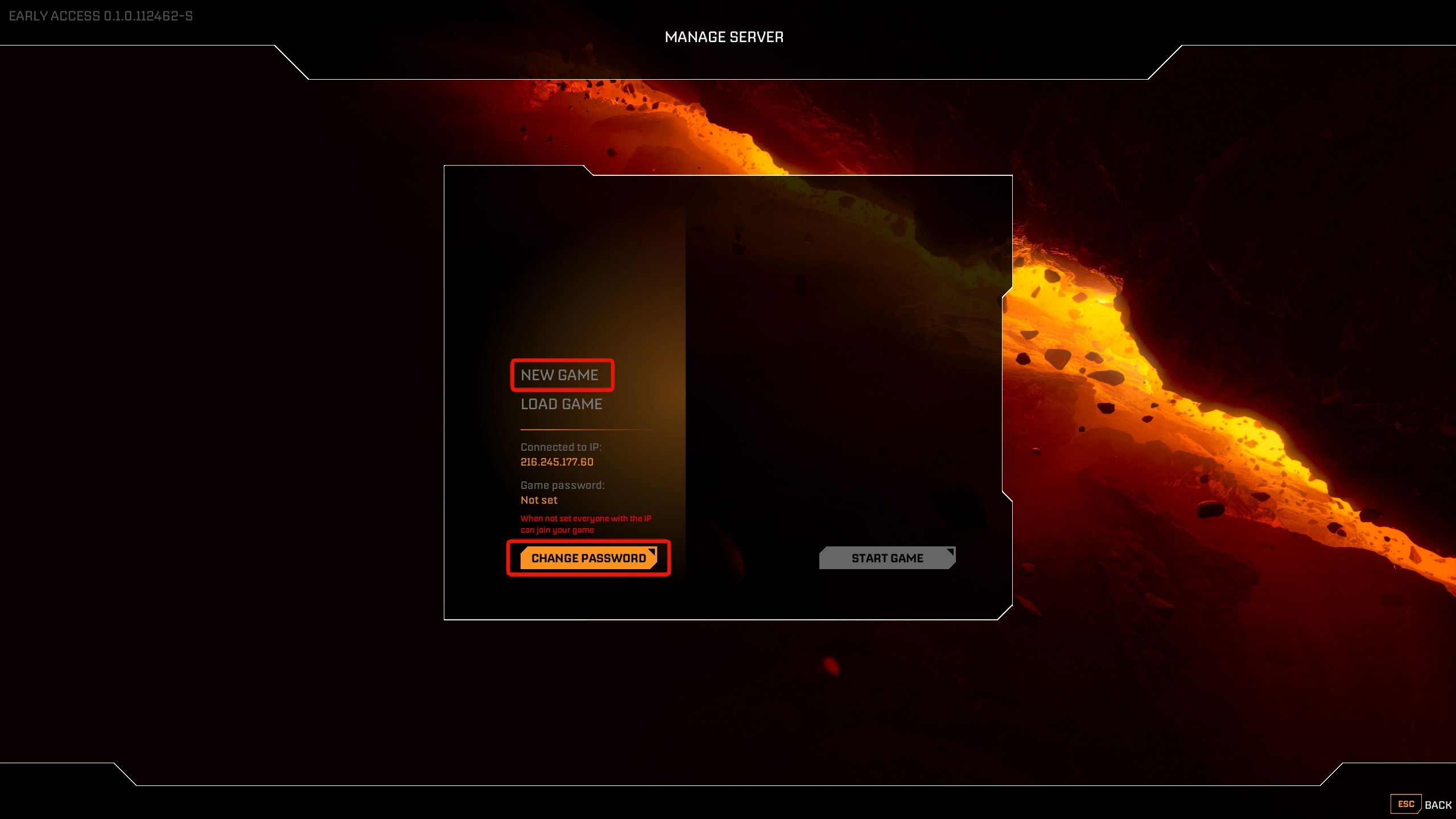
Step 6: If this is your first launch, click on NEW GAME and provide a session name and then click START GAME.
After a short period, you will receive a pop-up stating the session has started.
Connecting to your session
Step 1: At the Main Menu, click on JOIN GAME.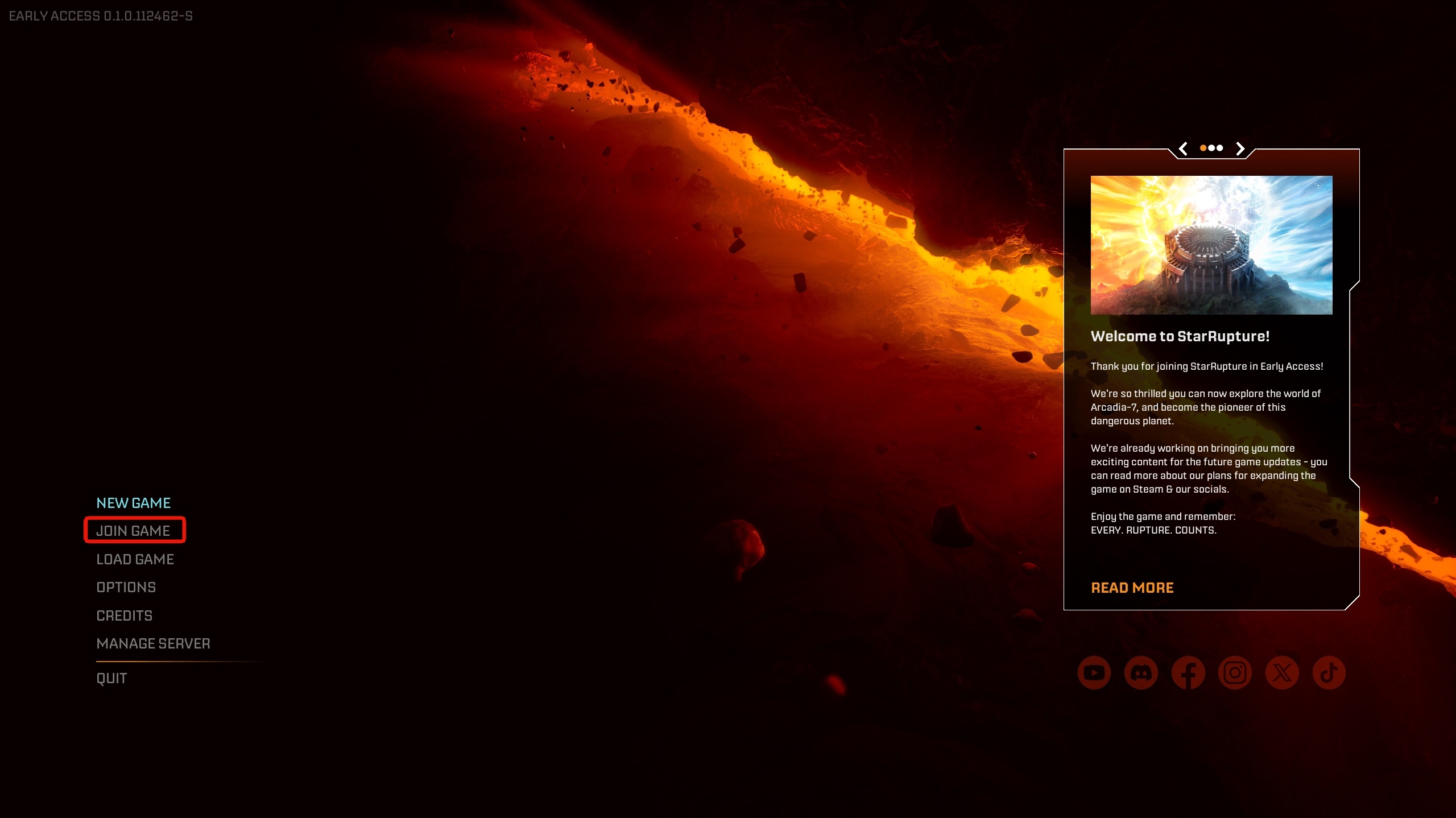
Step 2: Click on DEDICATED SERVER.
Step 3: Enter your the IP and port found under connection info in your game panel and enter the password if you added one and click on confirm.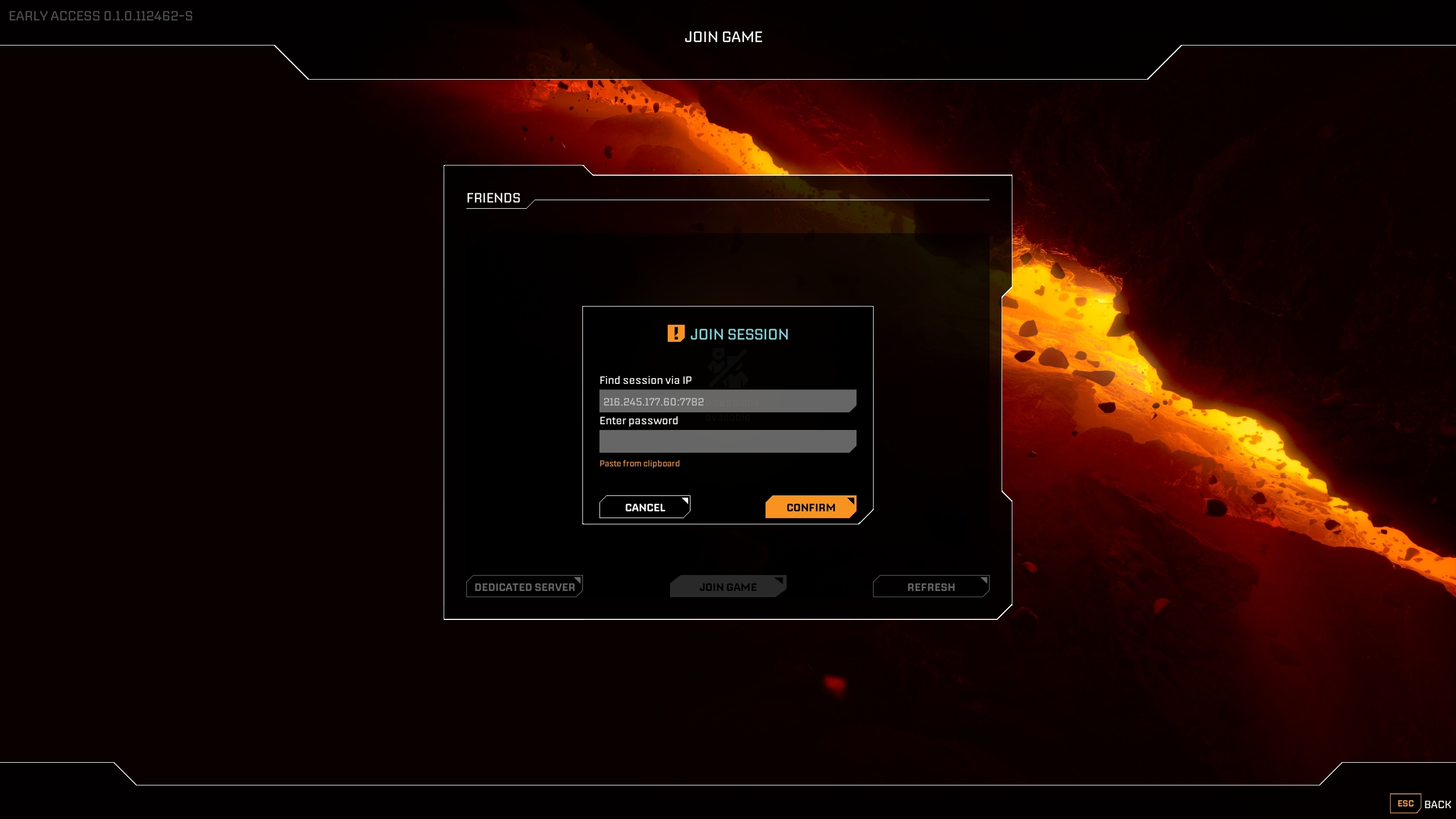

How to create a session and connect to your StarRupture server
- 2
Was this answer helpful?
Related Articles
How to use an FTP client with your StarRupture service
Here, we'll be taking a look at using an FTP service to control your service's files. The first...
How to setup automatic restarts on your StarRupture server
This article will cover the steps needed to set up automatic restarts on your StarRapture server...
How to reinstall your StarRupture server
In this article, we'll be going through the process of re-installing your StarRupture server....
